Login or create new account.

By registering on joomprod.com, you will have immediate access to all our free products and to the public side of our support forum.

Enjoy our subscriptions.

Each of our subscriptions allow you to enjoy the private side of the support forum and all the update of our products for a period ranging from 3 months to 1 year.

Payment And immediate download.

After subscribing to one of our subscription, the products are immediately downloadable.

Login

Or Register
Accueil / forum / Public Forum / Main Forum / User images do not upload [SOLVED]

Support Availability Because we must sleep sometimes

Working days: Monday to Friday.
Reply time: Depending on the complexity of your support issue it's usually between a few hours to 48 hours.

Support is only guaranteed to paid subscribers

AdsManager - End of life

It is with great regrets that we have chosen to end the developpement of Adsmanager and its other associated components.

AdsManager is born 10 years ago and, as of today, the number of new subscriptions and downloads have fallen and we cannot maintain the component anymore.

All active subscribers will be able to continue enjoying support until the end of their subscription.

The components will be free and no support will be provided anymore for the other users.

×

Notice

The forum is in read only mode.

× OLD Forum post could be checked here : forum.joomprod.com

User images do not upload [SOLVED]

More
12 years 9 months ago - 12 years 5 months ago #3601 by nemo2010
User images do not upload [SOLVED] was created by nemo2010
Hi,

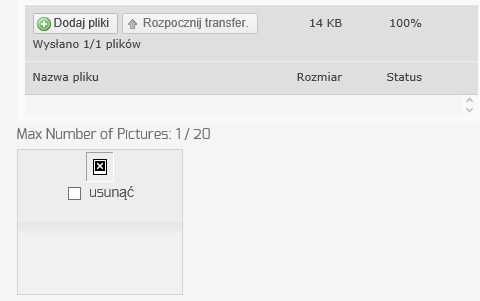
I am trying to restore full AdsManager functionality, as it used to work without problems a while ago. When registered or public users create an ad they have option to upload images. When a user selects and uploads an image no errors are displayed, but the thumbnail does not display properly, the source points to "tmp/plupload/'+file.target_name" files do not get uploaded there.
I have set 644/755/777 permissions to "tmp" and "plupload" folders it does not make any difference. Files no not get uploaded at all.
My site uses sh404sef, disabling it and clearing cache did not help either.

Appreciate any help resolving the issue.
Last edit: 12 years 5 months ago by nemo2010. Reason: solved
More
12 years 9 months ago #3608 by tompap
Replied by tompap on topic User images do not upload
Do you have admintools installed ?
Upload is not working, or the temporary image is not displayed after upload ?
More
12 years 9 months ago #3632 by nemo2010
Replied by nemo2010 on topic User images do not upload
Tompap,

I do have admintools installed, the upload function used to work, but now when an image is uploaded it does not exist in the tmp/plupload directory as it should. After the upload finishes a blank thumb is displayed.
More
12 years 9 months ago #3636 by tompap
Replied by tompap on topic User images do not upload
In admin tools, create .htaccess

Allow direct access, except .php files, to these directories:

add

tmp/plupload
images/com_adsmanager/ads/tmp
More
12 years 8 months ago #3705 by nemo2010
Replied by nemo2010 on topic User images do not upload
I did implement suggested changes, it looks more promissing now. When I create a new add, attach picure and press upload a broken thumbnail shows up. Before it was not even that much.

What else could be causing it?

Thank you for your help.
Attachments:
More
12 years 8 months ago #3719 by tompap
Replied by tompap on topic User images do not upload
Check the URL of the image and try to execute on another page (to see if you have a 403 error)
Moderators: perry
Time to create page: 0.084 seconds
Powered by Kunena Forum