Login or create new account.

By registering on joomprod.com, you will have immediate access to all our free products and to the public side of our support forum.

Enjoy our subscriptions.

Each of our subscriptions allow you to enjoy the private side of the support forum and all the update of our products for a period ranging from 3 months to 1 year.

Payment And immediate download.

After subscribing to one of our subscription, the products are immediately downloadable.

Login

Or Register
Accueil / forum / Support / AdsManager Support / [RESOLVED] AdsClarity Template Layouts

Support Availability Because we must sleep sometimes

Working days: Monday to Friday.
Reply time: Depending on the complexity of your support issue it's usually between a few hours to 48 hours.

Support is only guaranteed to paid subscribers

AdsManager - End of life

It is with great regrets that we have chosen to end the developpement of Adsmanager and its other associated components.

AdsManager is born 10 years ago and, as of today, the number of new subscriptions and downloads have fallen and we cannot maintain the component anymore.

All active subscribers will be able to continue enjoying support until the end of their subscription.

The components will be free and no support will be provided anymore for the other users.
×

Notice

The forum is in read only mode.

[RESOLVED] AdsClarity Template Layouts

More
10 years 9 months ago - 10 years 9 months ago #18280 by cc1452
I have question about AdsClarity Template layouts:

1.
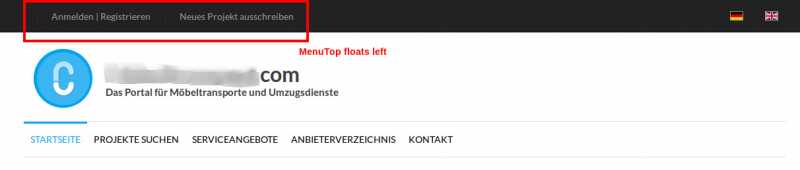
- In AdsManager Quickstart Package the menu items in "MenuTop" position float to right side (screen-shot 1)
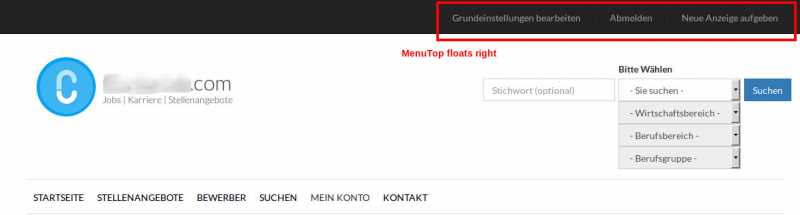
- When I use only template the menu items float to left side (screen-shot 2).
- How can I make "MenuTop" position behave the same as in quickstart package?

2.
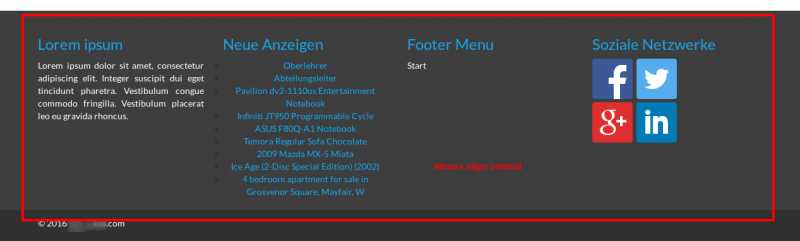
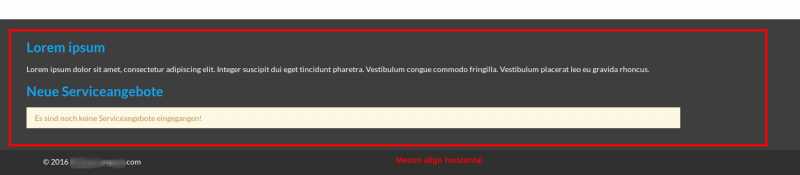
- In AdsManager Quickstart Package the menus in "Footer" position align vertically (screen-shot 3)
- When I use only template the menus align horizontally (screen-shot 4)
- How can I make "Footer" position behave the same as in quickstart package?

3.
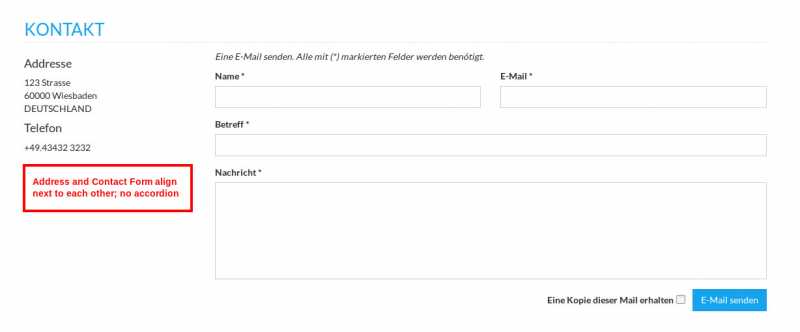
- In AdsManager Quickstart Package the contact item aligns the address and form vertically and without accordion effect (screen shot 5).
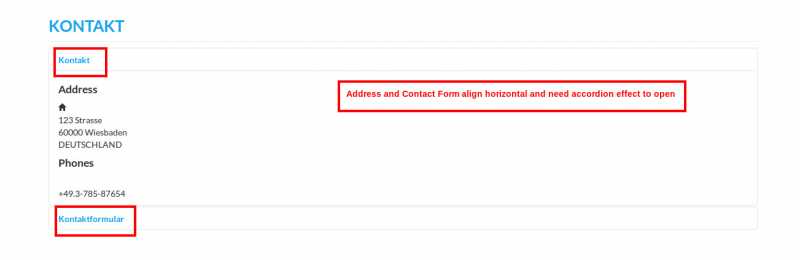
- When I use only template the contact item aligns the address and form horizontally and with accordion effect (screen-shot 6)
- - How can I make contact form look the same as in quickstart package?

Thank you.
Last edit: 10 years 9 months ago by loic.
The following user(s) said Thank You: adarr
More
10 years 9 months ago #18286 by loic
Replied by loic on topic AdsClarity Template Layouts
Hello,

1. In the backend, Extensions -> modules
Open the module related to the top menu and go to 'Advanced'. In 'Menu Class Suffix' add this -> navbar-right

2. In the same settings but for the footer module, set 'Bootstrap Size' to 3 for all the footer Modules

3. In the menu item of this page in the backend.
Go to the tab 'Contact Display Options' and for 'Display Format' choose 'Plain'.

Best regards.
The following user(s) said Thank You: adarr, cc1452
More
10 years 9 months ago #18299 by cc1452
Replied by cc1452 on topic AdsClarity Template Layouts
Thank you loic!

2. and 3. worked immediately.
1. did not work at first, but then I figured out that I had to leave an empty space before entering navbar-right - and now it works too.
The following user(s) said Thank You: adarr
More
10 years 9 months ago #18326 by loic
Replied by loic on topic AdsClarity Template Layouts
Great news :)

I update the topic to resolved.

Best regards.
The following user(s) said Thank You: adarr
Time to create page: 0.057 seconds
Powered by Kunena Forum