Login or create new account.

By registering on joomprod.com, you will have immediate access to all our free products and to the public side of our support forum.

Enjoy our subscriptions.

Each of our subscriptions allow you to enjoy the private side of the support forum and all the update of our products for a period ranging from 3 months to 1 year.

Payment And immediate download.

After subscribing to one of our subscription, the products are immediately downloadable.

Login

Or Register
Accueil / forum / Support / AdsManager Support / Invoice translation - please help

Support Availability Because we must sleep sometimes

Working days: Monday to Friday.
Reply time: Depending on the complexity of your support issue it's usually between a few hours to 48 hours.

Support is only guaranteed to paid subscribers

AdsManager - End of life

It is with great regrets that we have chosen to end the developpement of Adsmanager and its other associated components.

AdsManager is born 10 years ago and, as of today, the number of new subscriptions and downloads have fallen and we cannot maintain the component anymore.

All active subscribers will be able to continue enjoying support until the end of their subscription.

The components will be free and no support will be provided anymore for the other users.

×

Notice

The forum is in read only mode.

Invoice translation - please help

More
10 years 9 months ago #18024 by tompap
Replied by tompap on topic Invoice translation - please help
in previous adsclarity version this translation text was missing, but in latest version the define is present in the "template language file".
If you don't know the file which contains the text to translate
you can use > extension > Language > Override
add new
then enter the text value it will give you the key, you click on the key set the new translation and press save
The following user(s) said Thank You: adarr, wienmedia
More
10 years 9 months ago #18070 by wienmedia
Replied by wienmedia on topic Invoice translation - please help
Wow,thanks so much! :)
Ok,the missing parts are:

Publish on
see ad
Additional Images: 6 images for ...

User Invoice Template:
Description
Quantity
Tax
Net Unit Price
Net Amount
Gross Amount


If we can fix this you are the best one.
thanks,thanksmthanks....
:-)
The following user(s) said Thank You: adarr
More
10 years 9 months ago #18089 by loic
Replied by loic on topic Invoice translation - please help
Hello,

Here are the constant of those strings, please note that if you don't user the last version of AdsClarity then those string cannot be translated by using a language override:
Publish on - ADSMANAGER_PUBLISH_ON_DATE (you need to write %s in the translation, this code will be replaced by the date)
see ad - ADSMANAGER_SEE_AD
Additional Images... - PAIDSYSTEM_IMAGE_PACK_NB_IMAGES (You need to write 2 %s in the translation, they will be replaced by the number of additionnal images and their price)

Description - INVOICING_COMMON_DESCRIPTION
Quantity - INVOICING_COMMON_QUANTITY
Tax - INVOICING_COMMON_TAX
Net Unit Price - INVOICING_COMMON_UNIT_PRICE
Net Amount - INVOICING_DISCOUNT_TTC
Gross Amount - INVOICING_COMMON_AMOUNT_WITH_TAX

Let me know if you need other constants.

Best regards.
The following user(s) said Thank You: adarr, wienmedia
More
10 years 9 months ago #18099 by wienmedia
Replied by wienmedia on topic Invoice translation - please help
I´m not sure where this codes are put in.
Example, ... ADSMANAGER_SEE_AD="zum Inserat"
In the de-DE.com_adsmanager.ini ?
That was tryout,but nothing happend
The following user(s) said Thank You: adarr
More
10 years 9 months ago #18107 by loic
Replied by loic on topic Invoice translation - please help
Hello,

You need to create a new languages override on your website.
Please, note that this feature works for ALL the string in Joomla and not only our component.

First, go to your backend, then go to 'Extensions -> Languages', then click on the link 'Override' on the left menu.
On the new page, you will see all the override for the language selected on the dropdown at the left, just under the left menu.
Select your language in this dropdown and click on NEW.

On the form, enter the constant you wish to translate in the first field and the translation in the textarea just below.

You just have to save and you're done :).

Best regards.
The following user(s) said Thank You: adarr
More
10 years 9 months ago - 10 years 9 months ago #18119 by wienmedia
Replied by wienmedia on topic Invoice translation - please help
That method works very well! :woohoo:
Three parts are missing,
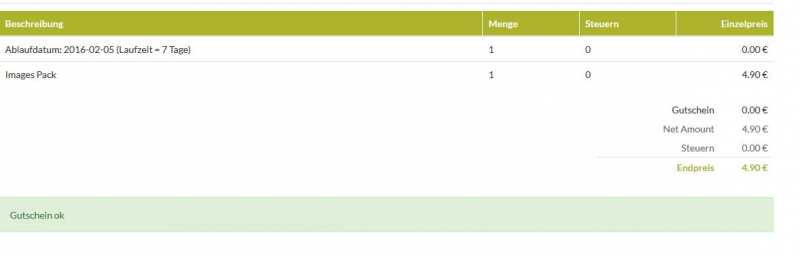
Net Amount,NEW, and Image Pack.Thanks.

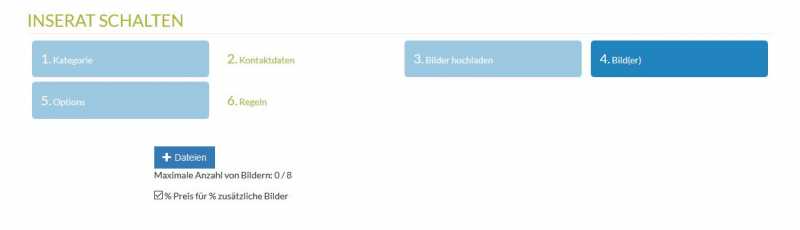
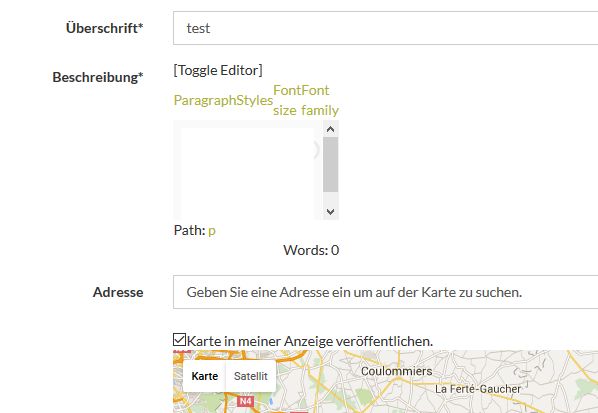
So I´ve got new problems, (step 3 is empty)
Picture upload have now 2 steps for uploading


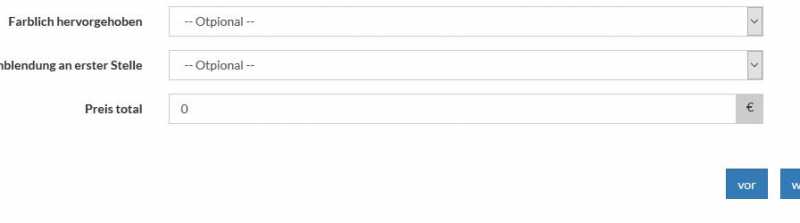
Price for Image pack are dissapear in step 5


Discount/Coupon are not countet by the invoice before payment


A problem is near solved and next is knocking on door
:ohmy:
Attachments:
Last edit: 10 years 9 months ago by wienmedia.
The following user(s) said Thank You: adarr
Time to create page: 0.146 seconds
Powered by Kunena Forum