Login or create new account.

By registering on joomprod.com, you will have immediate access to all our free products and to the public side of our support forum.

Enjoy our subscriptions.

Each of our subscriptions allow you to enjoy the private side of the support forum and all the update of our products for a period ranging from 3 months to 1 year.

Payment And immediate download.

After subscribing to one of our subscription, the products are immediately downloadable.

Login

Or Register
Accueil / forum / Support / AdsManager Support / Adsclarity Template

Support Availability Because we must sleep sometimes

Working days: Monday to Friday.
Reply time: Depending on the complexity of your support issue it's usually between a few hours to 48 hours.

Support is only guaranteed to paid subscribers

AdsManager - End of life

It is with great regrets that we have chosen to end the developpement of Adsmanager and its other associated components.

AdsManager is born 10 years ago and, as of today, the number of new subscriptions and downloads have fallen and we cannot maintain the component anymore.

All active subscribers will be able to continue enjoying support until the end of their subscription.

The components will be free and no support will be provided anymore for the other users.
×

Notice

The forum is in read only mode.

Adsclarity Template

More
11 years 5 days ago - 11 years 5 days ago #16649 by Hendrik
Adsclarity Template was created by Hendrik
Hi,

I've just installed the Adsclarity Template, but I'm experiencing a few problems.
My website is www.zadoe.be .

1. The top menu can't be put right instead of left.
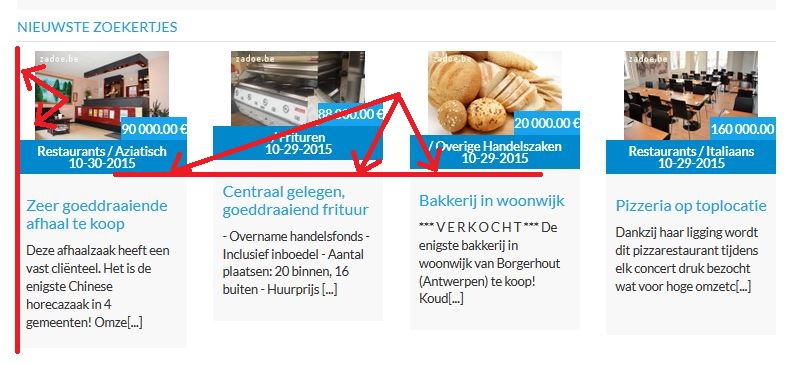
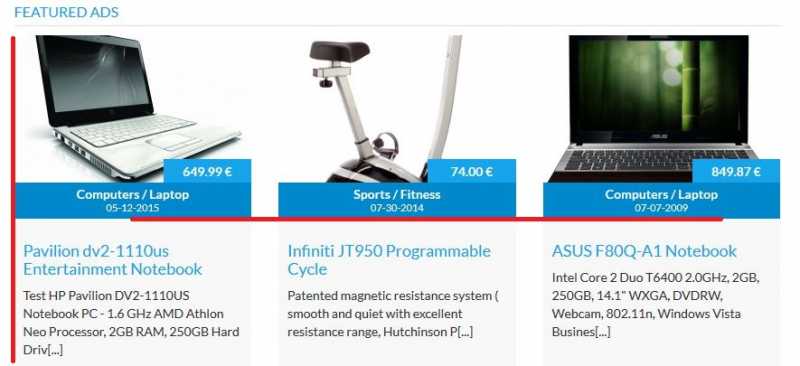
2. The pictures and texts of "Nieuwste advertenties" (= Featured Ads) are not outlined.
3. The search function on the top right spot has weird sizes + the button "Toevoegen" is not conform the adsclarity template.
4. If you click on an ad for details, you see the info at the right side isn't lined out + a part of the title is cut off + the pic is not displayed.
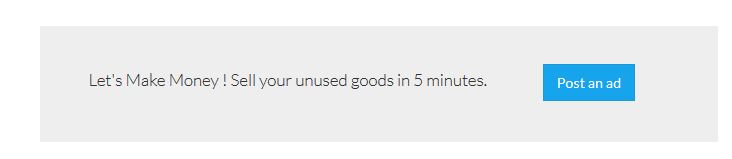
5. I would like to create a call to action to post an ad, like the demo of Adsclarity shows (see pic). How can I do this ?

Thanks in advance!
Attachments:
Last edit: 11 years 5 days ago by Hendrik.
More
11 years 3 days ago #16652 by loic
Replied by loic on topic Adsclarity Template
Hello,

How did you install AdsClarity ? Did you use the quickstart ?

In AdsManager, check if the setting 'Load Juloa Bootstrap2' is set to 'No'.

1. I need to make a few test
2. That is usually caused by the Juloa Bootstrap2.
3. That is usually caused by the Juloa Bootstrap2.
4. That is usually caused by the Juloa Bootstrap2.
5. The image show a custom HTML module of Joomla, you can do the same thing by creating one for your website.

Best regards.
More
11 years 3 days ago - 11 years 3 days ago #16656 by Hendrik
Replied by Hendrik on topic Adsclarity Template
**edit**

Thanks a lot, loic.
No, I didn't use "quick install".
Most of the problems have been solved indeed by setting Bootstrap to "No"!
But the site still doesn't show pics in the ad itself + pics in "featured ads" still aren't outlined with the rest of the box.
Last edit: 11 years 3 days ago by Hendrik.
More
11 years 3 days ago #16662 by loic
Replied by loic on topic Adsclarity Template
Hello,

I cannot access to a details page, I've got a 404 error.

For the featured module, you can see at demo.joomprod.com that it doesn't have any outline.
Are you sure the module in question is the featured one ?

Best regards.
More
11 years 3 days ago - 11 years 3 days ago #16668 by Hendrik
Replied by Hendrik on topic Adsclarity Template
1. 404 Error has been solved, I had to put "Use URL Rewriting" on "No" in System. Please check the pictures in Details again. :)

2. I call it "Featured Ads", but in Configuration of Adsmanager it's called "Latest Ads Col".
You can see the difference by comparing the two attachments, the red lines are drawn by me to show the "outline".

3. Could you figure out a way to put the Top Menu on the right side?

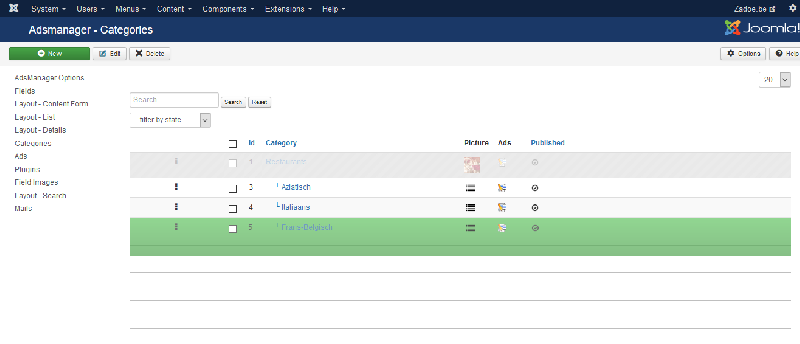
4. I can't reorder the Categories the way I want it. The backend just starts to add void lines and freezes (see attachment). Reordering other things (such as the menu items) is no problem...

Your help is much appreciated! :) :) :)
Attachments:
Last edit: 11 years 3 days ago by Hendrik.
More
11 years 2 days ago #16672 by loic
Replied by loic on topic Adsclarity Template
Hello,

1. Good news :)

2. This is caused by the size of the images, in the configuration of AdSManager, 'images' tab, you can set the size of the images, then for each type of images, you need to set the scaling for each type at 'Crop to fit'. After that, you need to reupload the images to fix the problem.

3. In the administration, go to Extensions -> Modules and open the top menu module. Then go to 'Advanced' and add ' navbar-right' in 'Menu Class Suffix
' - Don't forget the blank space juste before the name of the class.

4. This is a known issue, it will be fixed for the next version.

Best regards.
Time to create page: 0.054 seconds
Powered by Kunena Forum